
Selling on noon or Amazon.ae: How UAE Sellers Choose
How a UAE business decides between noon and Amazon.ae, using the marketplaces' own rules on eligibility, reach, catalogue, language and ads.
Read the articleEcommerce Marketplace Services
A stage by stage checklist for UAE sellers, from identifiers and approvals to images, video, variations, Arabic content and what to watch after you submit.
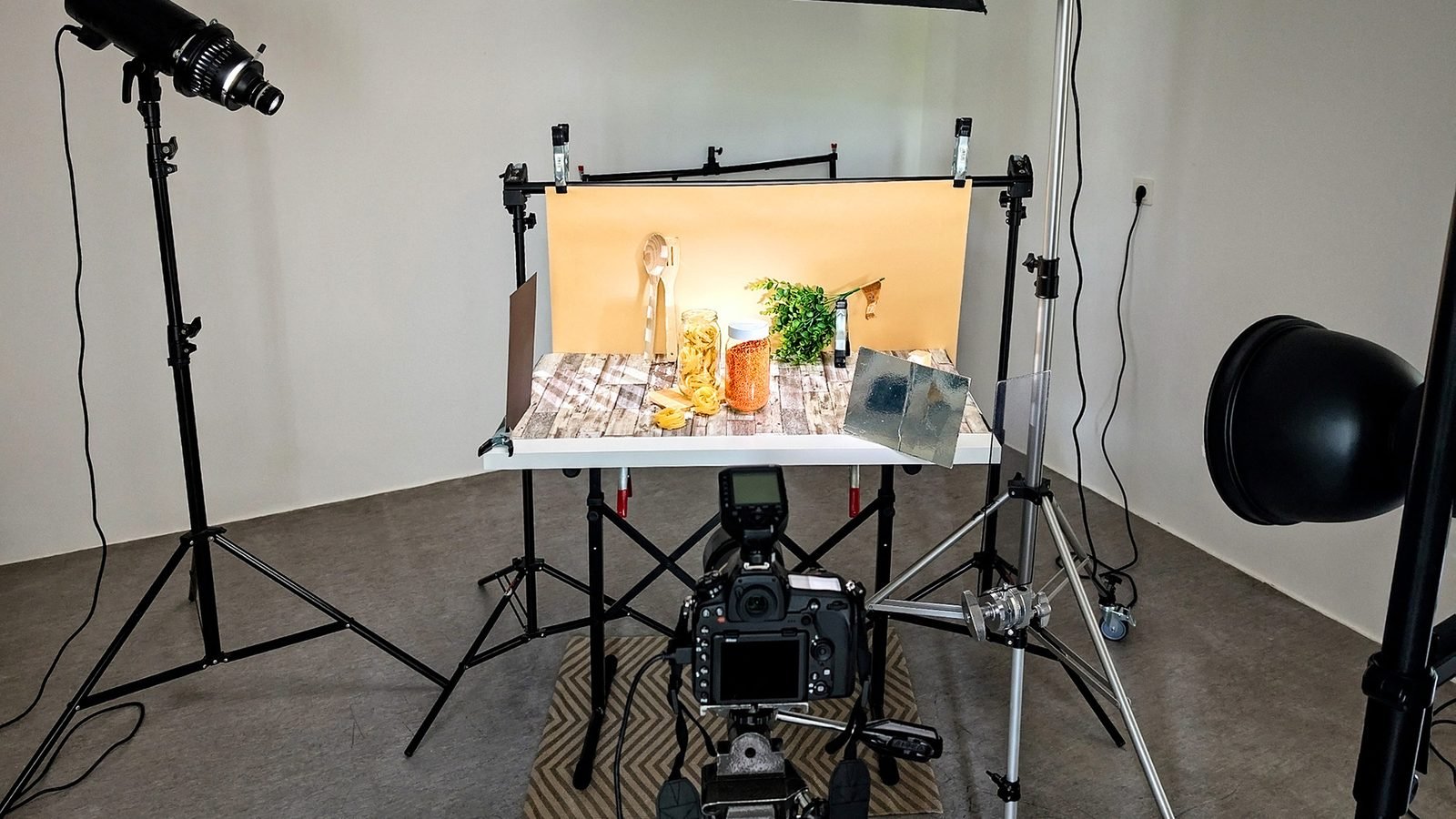
A product listing on noon or Amazon.ae fails for predictable reasons: a missing identifier or approval, a wrong category, images that break the platform’s rules, content that contradicts itself, or Arabic that was never supplied. Working through this product listing checklist before you press submit removes most of them.
The checklist is built for sellers in Dubai and across the UAE and follows each marketplace’s own help pages as of September 2026. Both platforms revise these rules, so treat the linked pages as the final word on the day you list.
Key points
These checks decide whether a product can be listed at all. Leaving them until the end is an easy way to waste a content budget.
noon’s content quality page describes category and brand as core Seller SKU information, central to any product listing checklist on noon. If its quality check finds either was chosen incorrectly, the SKU is rejected and a new one has to be created, so this is not a field to fix later.
Character limits and banned symbols are covered on our product description writing page. The items below are the details that still trip up otherwise compliant Amazon.ae listings.
Image rules differ in ways that affect how a shoot is planned, so give your photographer both columns of this table, a key part of any product listing checklist for these marketplaces.
| Check | noon | Amazon.ae |
|---|---|---|
| File format | JPEG or JPG only, RGB or sRGB, up to 10 MB | JPEG, TIFF, PNG or non animated GIF |
| Framing | 10% margin top and bottom for vertical shots, 5% each side for horizontal; additional images with the product covering 70 to 80% of the frame | A compliant main image is required, or the listing may be removed from search until one is supplied |
| Primary image | Front view, pure white background (light grey recommended for fashion), no packaging, no lifestyle shot | Shown in search and as the first image on the detail page (variant code MAIN) |
| Extra images | At least three recommended; photographs only, no CAD drawings or illustrations; no accessories that are not included | At least six additional images and one video recommended; variant codes such as PT01 for extra views and SWCH for swatches |
| Safety and claims | No separate safety image slot on the image page; video claims such as “eco friendly” must be backed by credible evidence | Warning and safety images uploaded with codes PS01 to PS06 |
| AI generated people | Not specifically addressed on the image page | Photorealistic AI generated people need the metadata keyword contains-synthetic-performer |
Amazon also notes that uploading an image does not mean it will be displayed, because it selects images from multiple selling partners, and a selected image can take up to 24 hours to appear.
For noon product videos, check these points from its video guidelines:
noon’s A+ content currently supports image banners placed after the specifications. It allows up to 10 banners per product, uploaded separately for English and Arabic, with a recommended width of 2400 pixels, and it asks sellers not to reuse images already in the product carousel.
If people appear in your images, the consent questions in our guide to photographing people for marketing under UAE law apply to marketplace photos as much as to adverts.
noon’s language page makes English mandatory on the UAE site, Arabic optional, and advises at least an Arabic title, warning that English only products may be hidden from the Arabic site, a detail every Arabic product listing checklist must cover. It does not translate seller content.
Which Arabic fields should be translated literally and which can be written more freely is explained in our post on translation or transcreation for Arabic marketing copy.
This checklist reflects the noon Seller Help Center and Amazon Seller Central UAE pages as read in September 2026. Marketplace rules change, and category style guides add requirements not listed here. Check the current help page for your category before listing.
We work through this product listing checklist with you: auditing identifiers and approvals, writing titles, bullets and Arabic content, briefing images to both platforms’ rules, and tracking each listing to approval. We are not a noon or Amazon partner, and the marketplaces make every approval decision.
Listing optimisation is covered by noon store SEO and Amazon store SEO, and images by ecommerce product photography. Still choosing a platform? Read selling on noon or Amazon.ae: how UAE sellers choose, or browse the ecommerce marketplace services hub for a written fixed price proposal.
Straight answers
Yes, where you have accurate data. noon describes optional attributes, including description and bullets, as improving the customer experience and conversion, and shoppers filter by many of them. Leave a field empty rather than guessing, because inconsistent data is a rejection reason.
Not as the primary image on noon, which asks for a front view on a pure white background, or light grey for fashion. Lifestyle shots belong in the additional images, and on noon in A+ banners, which must not repeat carousel images.
Whenever a marketplace announces a rule change, and on a regular routine for your best sellers. Amazon applies title rules to existing listings, and noon has made new fields mandatory for some categories, so a listing that passed last year can fail today.
Usually one shoot is enough if the brief lists both platforms' specifications. The exports differ: noon wants JPEG files with its margin rules, while Amazon accepts several formats and uses variant codes for each image slot.
Yes, with access you grant in Seller Lab or Seller Central, after you approve the content in a review sheet. The marketplace still decides whether each listing is approved.
Sources
Fixed price, in writing
Got it. Your quote is being written now.
In business hours you will have it within 45 minutes. Check your inbox for the confirmation.
Keep reading

How a UAE business decides between noon and Amazon.ae, using the marketplaces' own rules on eligibility, reach, catalogue, language and ads.
Read the article
How refill and subscription apps for drinking water and LPG cylinders work in Dubai, with shorter notes on pet care, bakery and jewellery ordering apps.
Read the article
How to plan visitor, guard, access control, smart home and employee tracking apps for Dubai offices, sites and security operators.
Read the article